
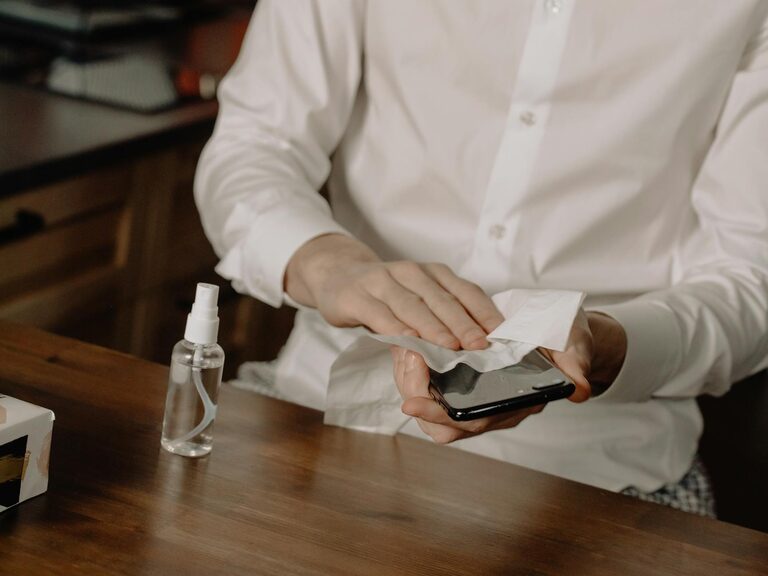
Keeping your phone and keyboard clean is essential for both hygiene and device longevity. These everyday gadgets collect dust, oils, and bacteria, which can affect performance and your health. However, using the wrong cleaning methods or products can damage your devices. In this post, we’ll walk you through safe, easy steps to clean your phone and keyboard effectively.
Why Clean Your Phone and Keyboard?
Phones and keyboards are some of the most frequently touched objects, making them hotspots for germs. Besides health reasons, dirt and debris can cause keys to stick or touchscreen sensitivity to reduce. Regular cleaning helps maintain device functionality and keeps your work or home environment healthy.
—
What You’ll Need
Before you start, gather these safe cleaning supplies:
– Microfiber cloths (soft, lint-free)
– Isopropyl alcohol (70% or less concentration)
– Distilled water
– Cotton swabs or soft brushes
– Compressed air can (optional)
– Small bowl or spray bottle
– Gentle dish soap (optional)
> Tip: Avoid using bleach, window cleaners, or abrasive materials, as they can damage screens and keys.
—
How to Clean Your Phone Safely
Step 1: Power Off and Unplug
Always turn off your phone and unplug any cables before cleaning to avoid electrical damage.
Step 2: Remove Cases and Accessories
Take off any phone cases or screen protectors to clean both the device and accessories properly.
Step 3: Prepare Cleaning Solution
Mix a 1:1 solution of distilled water and isopropyl alcohol in a small bowl or spray bottle. This combination is effective yet gentle.
Step 4: Wipe the Phone
Dampen a microfiber cloth lightly with the cleaning solution—do not soak it. Gently wipe all surfaces of the phone, including the screen, back, and edges.
Step 5: Clean Ports and Speaker Grilles
Use a dry cotton swab or soft brush to remove dust from charging ports, speaker holes, and microphones. Avoid inserting anything sharp as it can damage internal parts.
Step 6: Dry and Reassemble
Allow the phone to air dry for a few minutes before putting the case back on or turning it on.
—
How to Clean Your Keyboard Safely
Step 1: Turn Off and Unplug
Whether you’re cleaning a desktop keyboard or a laptop, unplug it or shut down the device first.
Step 2: Shake Out Debris
Hold the keyboard upside down and gently shake it to dislodge loose crumbs and dust.
Step 3: Use Compressed Air
Spray compressed air between the keys to remove deeper dirt and particles hidden underneath.
Step 4: Wipe Down the Keys
Dampen a microfiber cloth with a small amount of isopropyl alcohol or soap-water solution and wipe each key and the keyboard surface. Avoid excessive moisture.
Step 5: Detail Cleaning
For stubborn grime, use a cotton swab dipped in the cleaning solution to get around the edges of keys.
Step 6: Dry Thoroughly
Let your keyboard dry completely before reconnecting or turning it back on.
—
Additional Tips for Maintenance
– Clean your devices regularly—once a week is ideal for phones, and once a month for keyboards.
– Wash your hands before using electronics to minimize dirt transfer.
– Avoid eating or drinking near your devices to prevent spills.
– Use keyboard covers or screen protectors to reduce buildup.
– Replace screen protectors and cases when they become worn or damaged.
—
Summary
Proper cleaning keeps your phone and keyboard hygienic and functional. By using simple tools like microfiber cloths, mild solvents, and soft brushes, you can safely remove dirt and germs without risking damage. Remember to turn off your devices before cleaning and avoid harsh chemicals. With regular care, your gadgets will stay looking and working great.
Happy cleaning!